
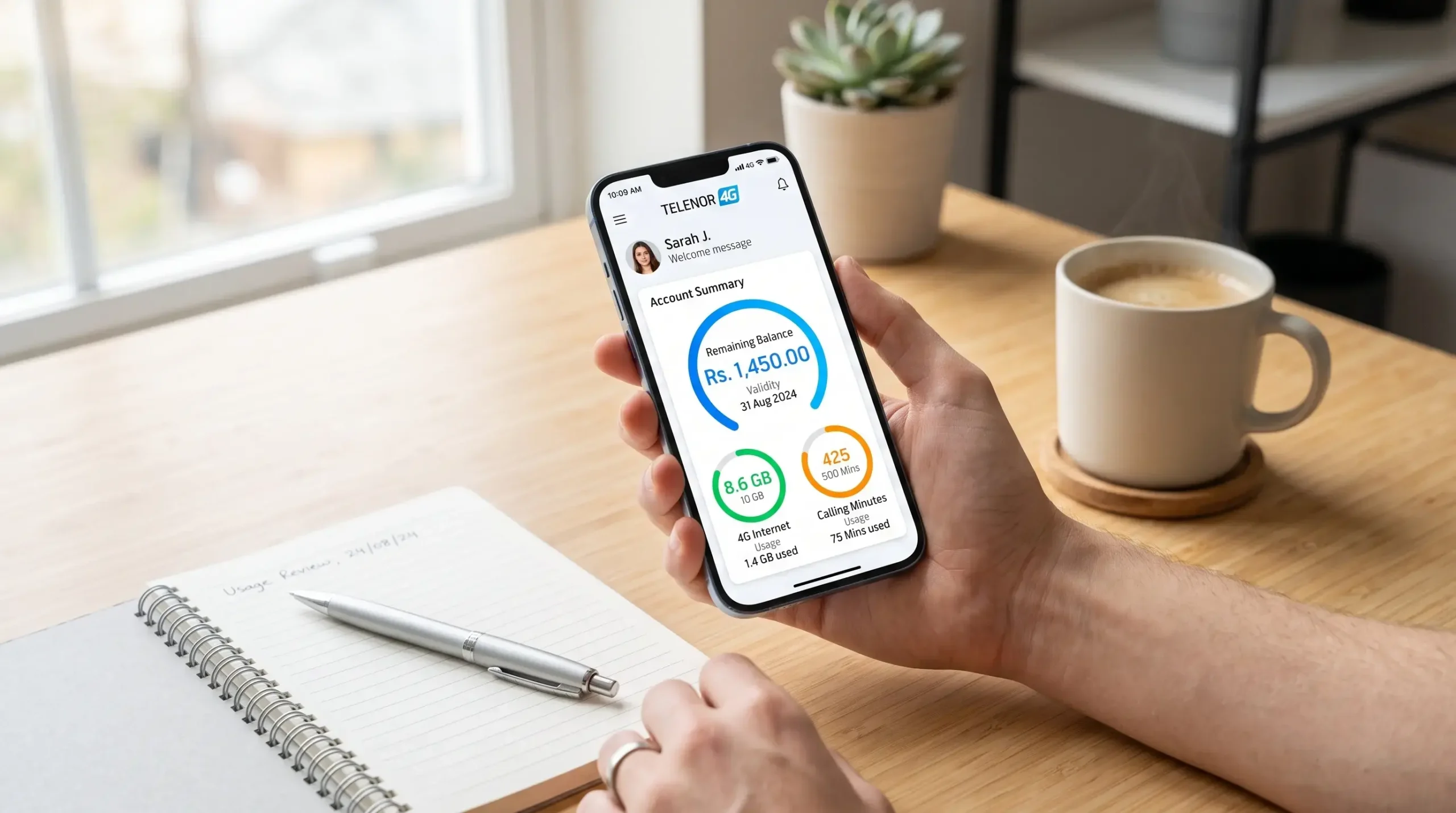
Whether you are using a modern smartphone or a simple keypad feature phone, Telenor gives you several quick ways to check your remaining balance, internet MBs, SMS, and calling minutes. While dialing quick USSD codes works instantly without an internet connection, using the official app provides a completely free, visual breakdown of all your active bundles without charging you a single paisa.
Tip:
Check your remaining MBs, minutes, and balance regularly, especially before using mobile data. The My Telenor App lets you see your usage and active packages in one place, helping you avoid unexpected balance deductions.
Method 1: USSD Codes (The Quick Offline Method)
If you don’t have an active internet connection or you are using a classic button phone, short USSD codes are the fastest way to get your account status. You simply open your phone’s dialer, type the shortcode, and press call. The network will display a text popup on your screen with your remaining resources within two seconds.
- How to Check Prepaid Balance: Dial *444# from your Telenor number. A popup message will show your exact remaining credit along with the validity date of your SIM. (Note: Telenor charges a nominal fee of approximately Rs. 0.20 to Rs. 0.24 plus tax for each USSD balance inquiry).
- How to Check Remaining Internet Data (MBs): Dial *999# from your phone dialer. You will receive an instant summary showing how many high-speed 4G internet MBs you have left and when they will expire.
- How to Check Remaining Calling Minutes: Dial *222# to check your remaining on-net (Telenor-to-Telenor) minutes. If you have subscribed to a hybrid bundle or an all-in-one monthly offer, dialing *111# will display your remaining off-net calling minutes for other networks.
- How to Check Remaining SMS: Dial *111# or check through your bundle-specific inquiry code to see your exact SMS count for the day or month.
Method 2: My Telenor App (The Best, 100% Free Way)
Why pay USSD inquiry charges every time you want to check your balance when you can see everything for free? The My Telenor App is by far the most detailed and transparent way to track your account. Because the app connects directly to Telenor’s cloud servers, checking your usage through the app is completely free and does not deduct any money from your prepaid credit.
- Open the My Telenor App on your iPhone or Android smartphone. If you aren’t logged in, enter your mobile number and type the 4-digit One-Time Password (OTP) sent to your inbox.
- On the top section of the main dashboard, you will clearly see your current, up-to-the-minute Account Balance displayed in large bold numerals.
- Right beneath your balance, look at the three circular progress meters labeled Internet, Mins, and SMS.
- Tap directly on any of these circular meters to open a detailed breakdown. For example, tapping the Internet meter will show you exactly how many MBs are dedicated to social apps (WhatsApp, Facebook), how many are for all-purpose browsing, and the precise time and date your package will expire.
Method 3: Customer Care Helpline & Automated Voice System
If you prefer listening to a clear audio recording of your account balance and remaining package details, you can use Telenor’s interactive voice response (IVR) helpline. This is especially helpful for elderly users or anyone who prefers spoken instructions over reading text popups.
Simply open your phone dialer and call 345 from your prepaid SIM. Once the automated voice starts speaking, press 1 for Urdu or English, and follow the voice instructions to hear your current account balance and active offers. You can also dial *2222# or call 2222 to hear info about your specific welcome-back or SIM Lagao incentives if your SIM was recently dormant.
Method 4: Checking Postpaid Bill and Outstanding Dues
If you are a Telenor Postpaid subscriber, dialing *444# will not show a prepaid balance since you pay a monthly invoice instead. To check your current unbilled amount, your remaining monthly internet allowance, and your invoice due date, you have two simple options:
- Via SMS: Open your messaging app, type the word BILL in all capital letters, and send it to 1111. Within a minute, you will receive an automated text message detailing your total monthly charges, remaining data pool, and payment due date.
- Via USSD: Dial *444# or *111# on your postpaid handset to receive a real-time summary flash on your screen showing your consumed credit limit and remaining voice/data bundle allocations.
Why Does Mobile Data Finish Faster Than Expected?
A common complaint among mobile internet users is waking up to find their remaining data MBs or account balance completely wiped out. This usually happens for three clear reasons: background app updates, cloud syncing, or standard base-rate usage after a bundle expires.
When you subscribe to a specific package-such as a 5GB Social Bundle-those MBs are strictly locked to apps like WhatsApp, Facebook, or TikTok. If you open a web browser, watch YouTube, or let the Google Play Store update apps in the background, your phone cannot use your Social MBs. Instead, it pulls from your general data pool. If you have no general data left, the telecom server automatically deducts money directly from your main prepaid balance at the standard rate of around Rs. 4 per MB until your credit hits zero. Using the official app regularly helps you separate your social data from your all-purpose browsing data so you never get caught off guard.
Frequently Asked Questions
Want to quickly check your Telenor balance, remaining MBs, or call minutes? Here are answers to the most common questions about Telenor balance check codes, data usage, remaining minutes, and the My Telenor App.